Images
The checks say whether a model holds together, and the images, rendered by every build, show whether it looks as intended.
The sheet
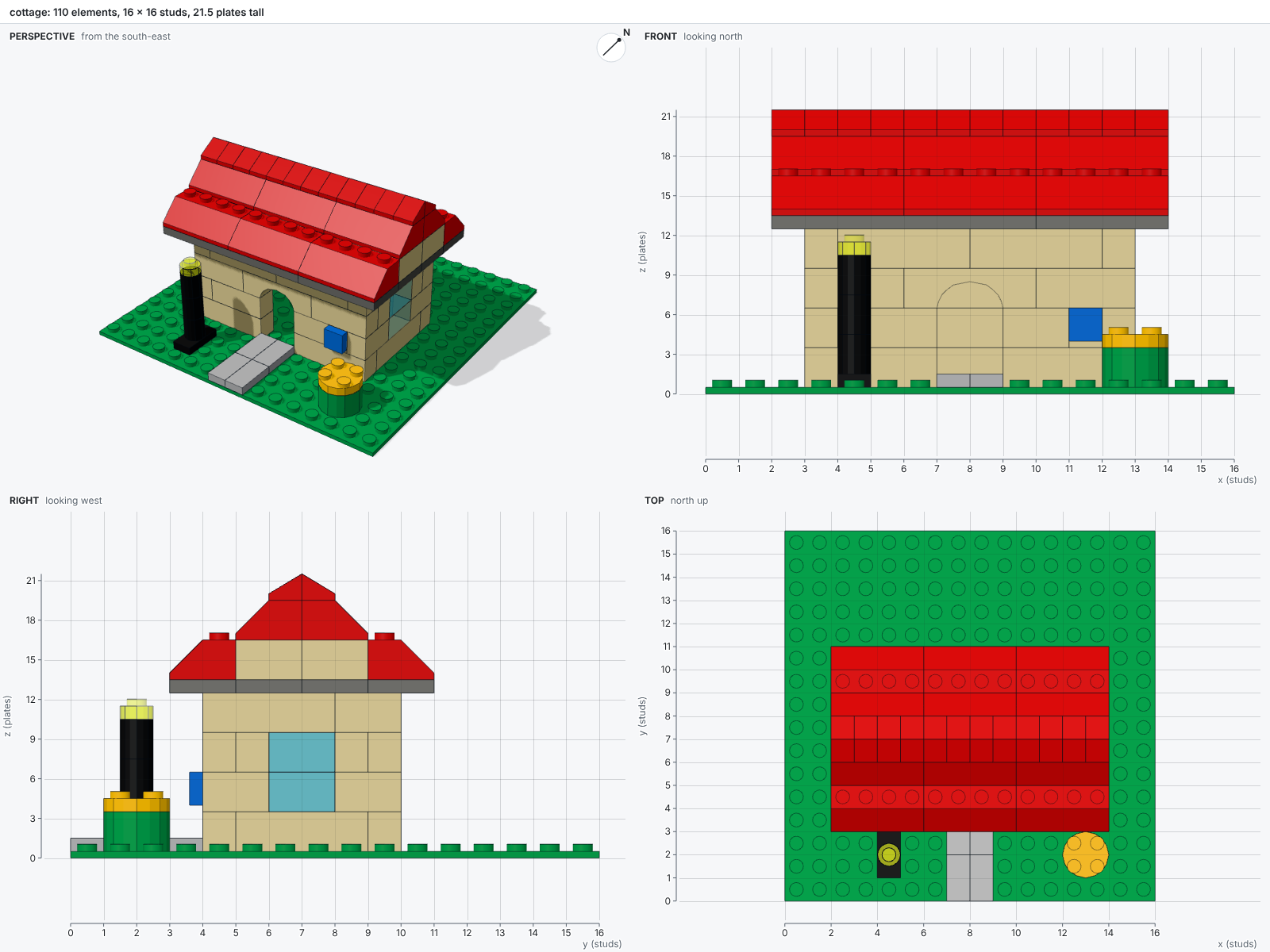
A build writes name.png beside the script: a sheet of four views.
The perspective view looks from the south-east and carries a compass.
The front, right and top views are orthographic and carry rulers in studs and plates.
A coordinate read off a ruler is a coordinate to write in at.
The title line counts the elements, gives the model's size, and adds the errors and warnings of the check.
Single views
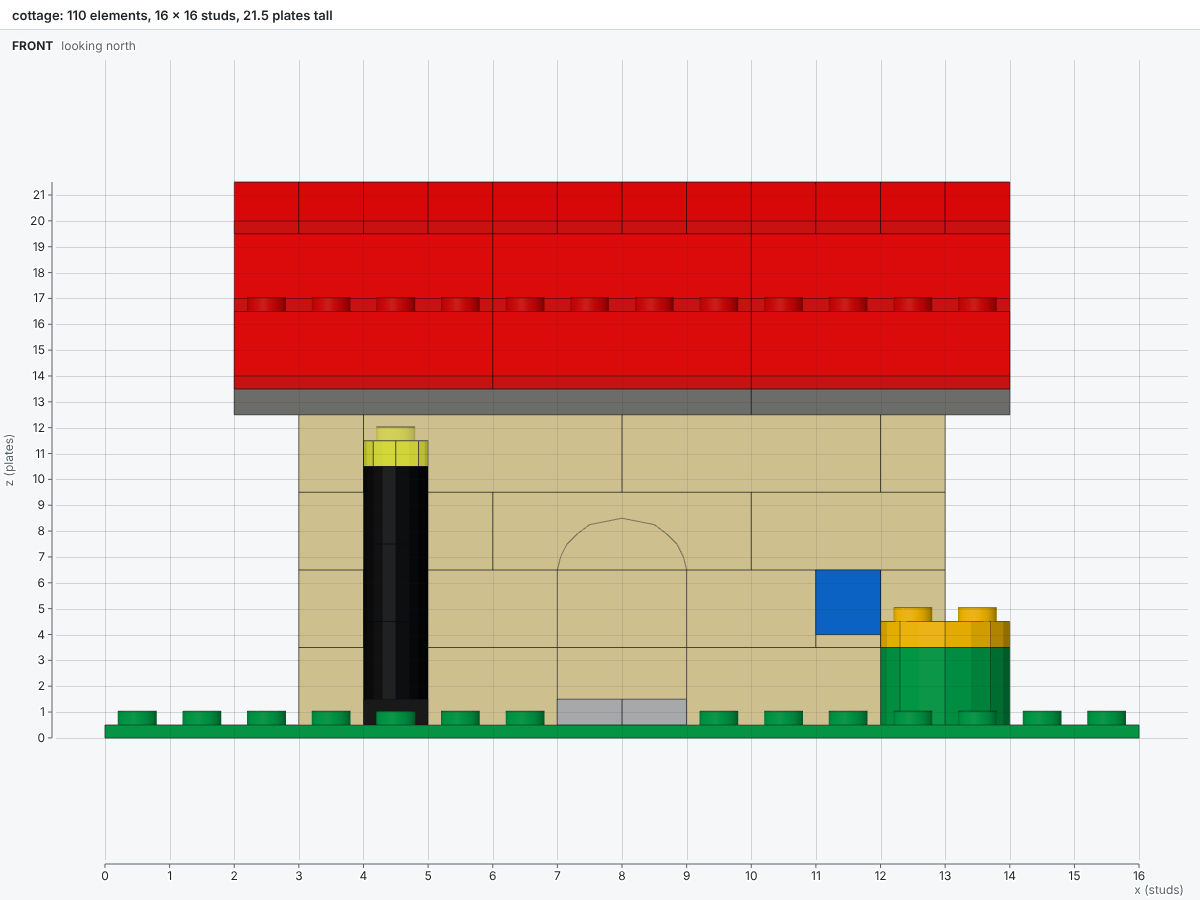
The command bricky render renders a saved model again and writes name.<view>.png beside it.
The sheet of the last build stays as it was.
The model must exist first, so build the cottage example, then render it:
uv run bricky build examples/cottage.py
uv run bricky render examples/cottage.bricky.json --views front --views top
| View | Seen from |
|---|---|
sheet |
The four views below on one image: perspective, front, right and top (the default) |
perspective |
The south-east, above |
perspective-south-west, perspective-north-west, perspective-north-east |
The other corners, above |
front, back |
The south, and the north, with x and z rulers |
left, right |
The west, and the east, with y and z rulers |
top |
Above, north up, with x and y rulers |
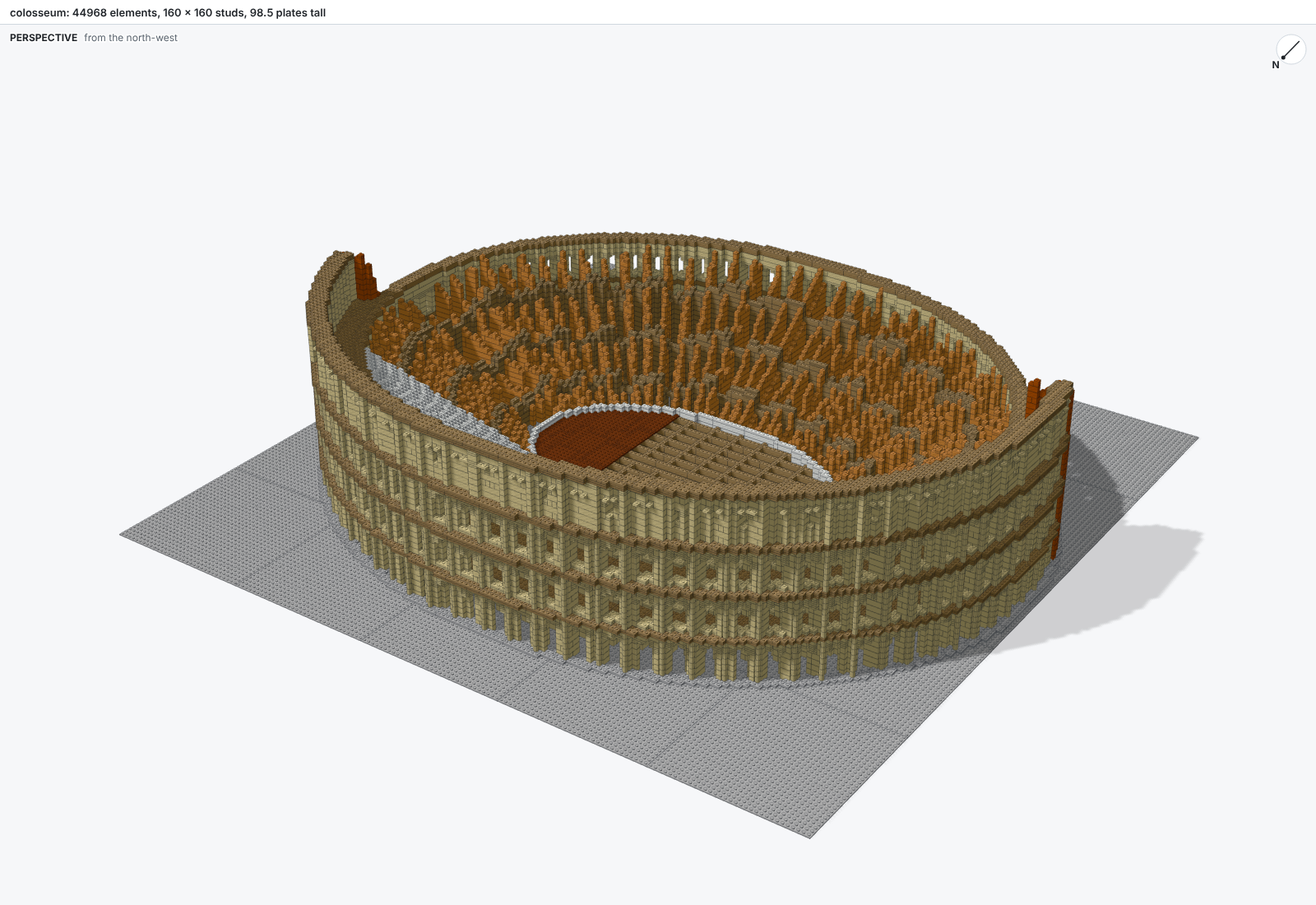
The perspectives from the other corners show the sides the sheet hides. The Colosseum keeps its outer ring on the north side, so its façade shows from the north-west:
uv run bricky build examples/colosseum.py
uv run bricky render examples/colosseum.bricky.json --views perspective-north-west
Highlights
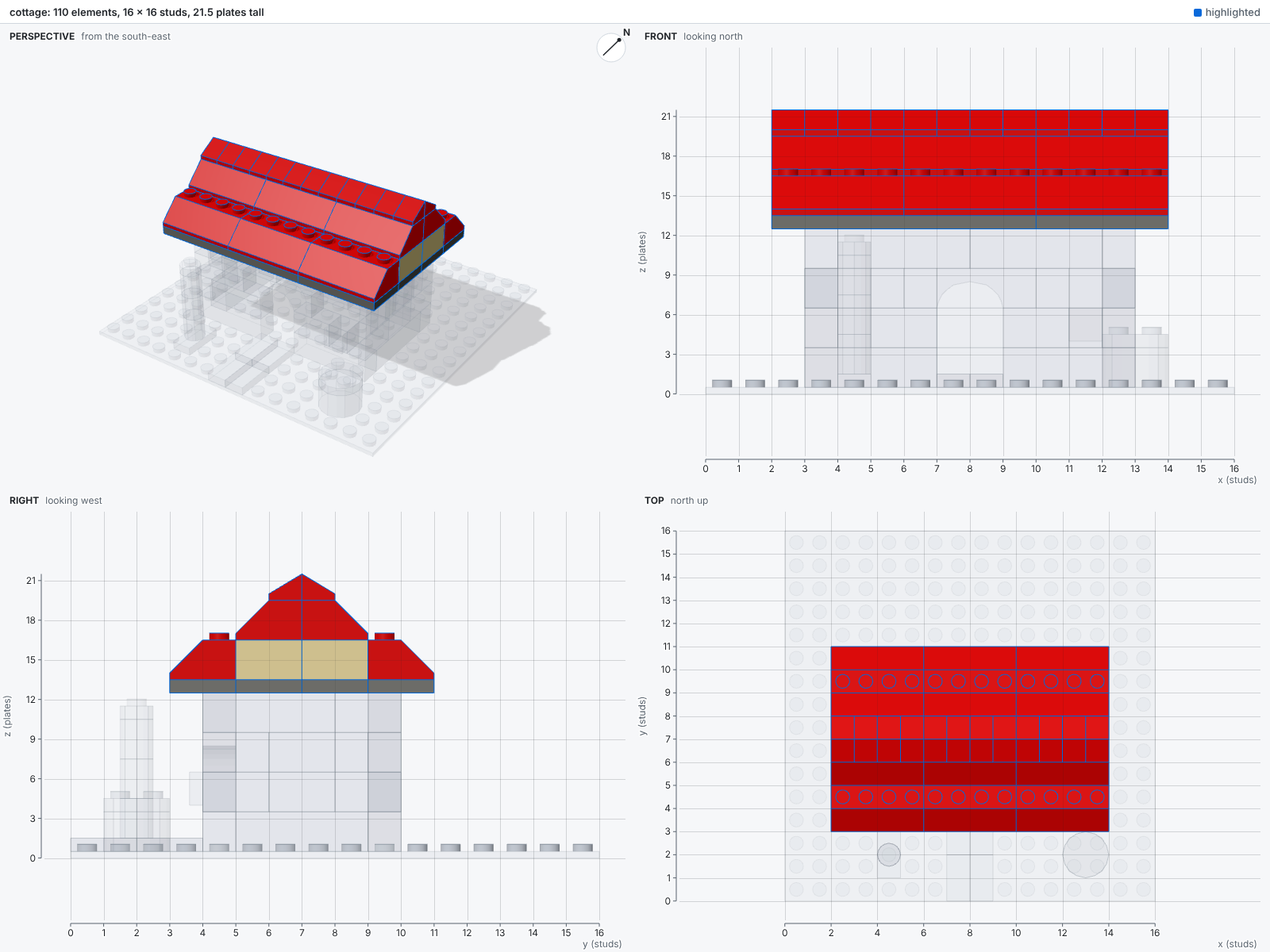
A highlight renders some elements in full and the rest faintly, and labels the highlighted elements with their uids.
A selector is a uid pattern, or @ followed by a function, file or line of the build script:
| Selector | Highlights |
|---|---|
--highlight "sign*" |
Elements whose uids match the pattern |
--highlight "i2/*" |
Every element inside the instance i2 |
--highlight @roof |
Every element the function roof placed |
--highlight @cottage.py:153 |
Every element line 153 placed |
Script selectors read the source map the build wrote.
The cottage with --highlight @roof:
Clips
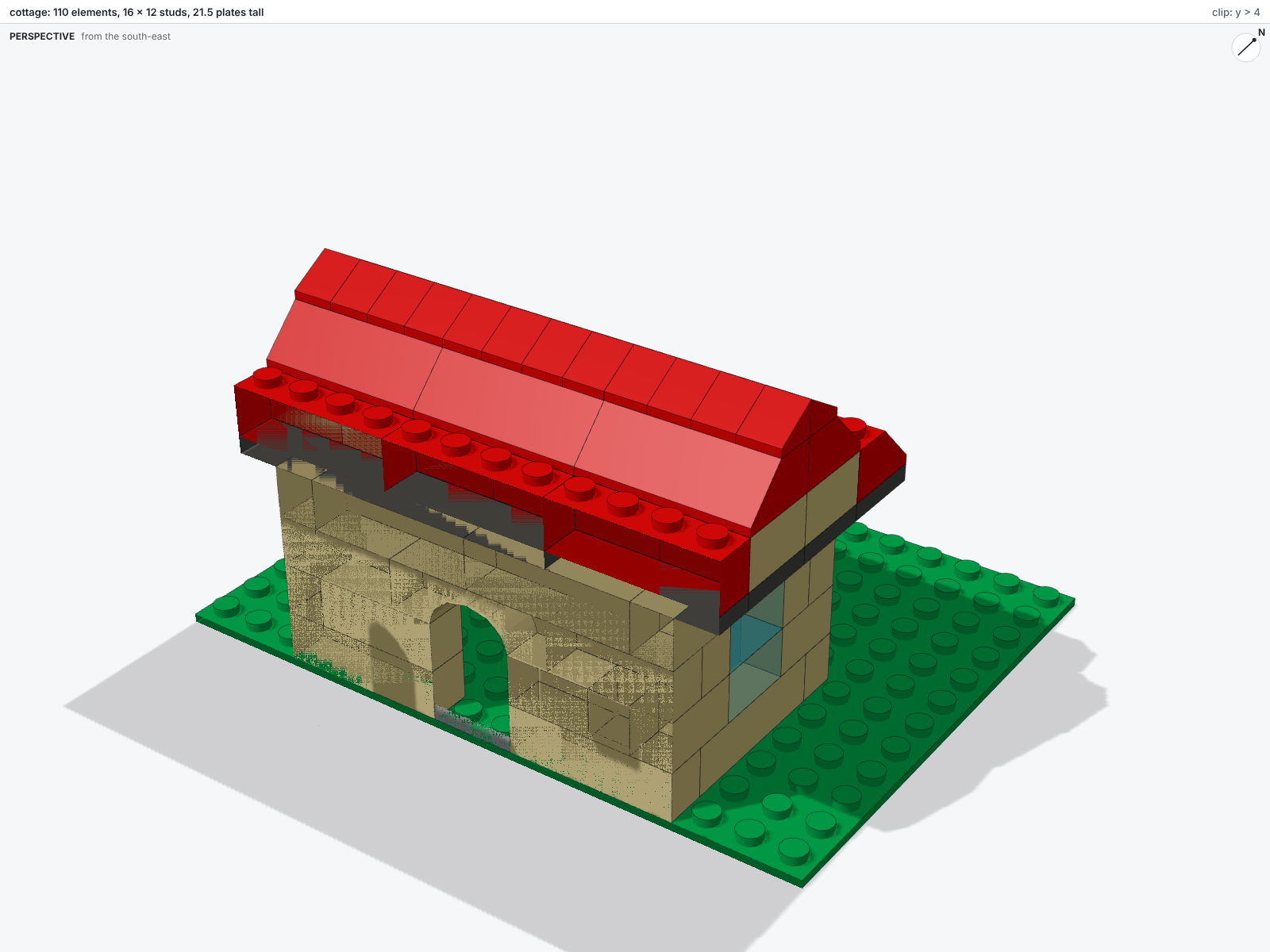
A clip keeps what lies on one side of a plane, to look inside a model.
The clip z<130 keeps what lies below 130 plates, and x>4 what lies east of 4 studs.
Clips combine, and the views frame what remains.
Marks
Marks show on every image what the report states in text:
| Mark | Means |
|---|---|
| Red tint and label | An element an error names |
| Orange tint and label | An element a warning names |
| Dashed box | The region of a diagnostic |
| Purple outline | An element new or changed since the last build |
| Blue outline and label | A highlighted element |
| Faint gray | An element outside the highlight |
The 3D viewer
The option --html of bricky render also writes name.html, a standalone viewer to inspect the model in a browser.
The page embeds the scene and the viewer, and loads three.js from jsDelivr, so it needs no server but does need a network connection.
The gallery opens each of its models in such a viewer.
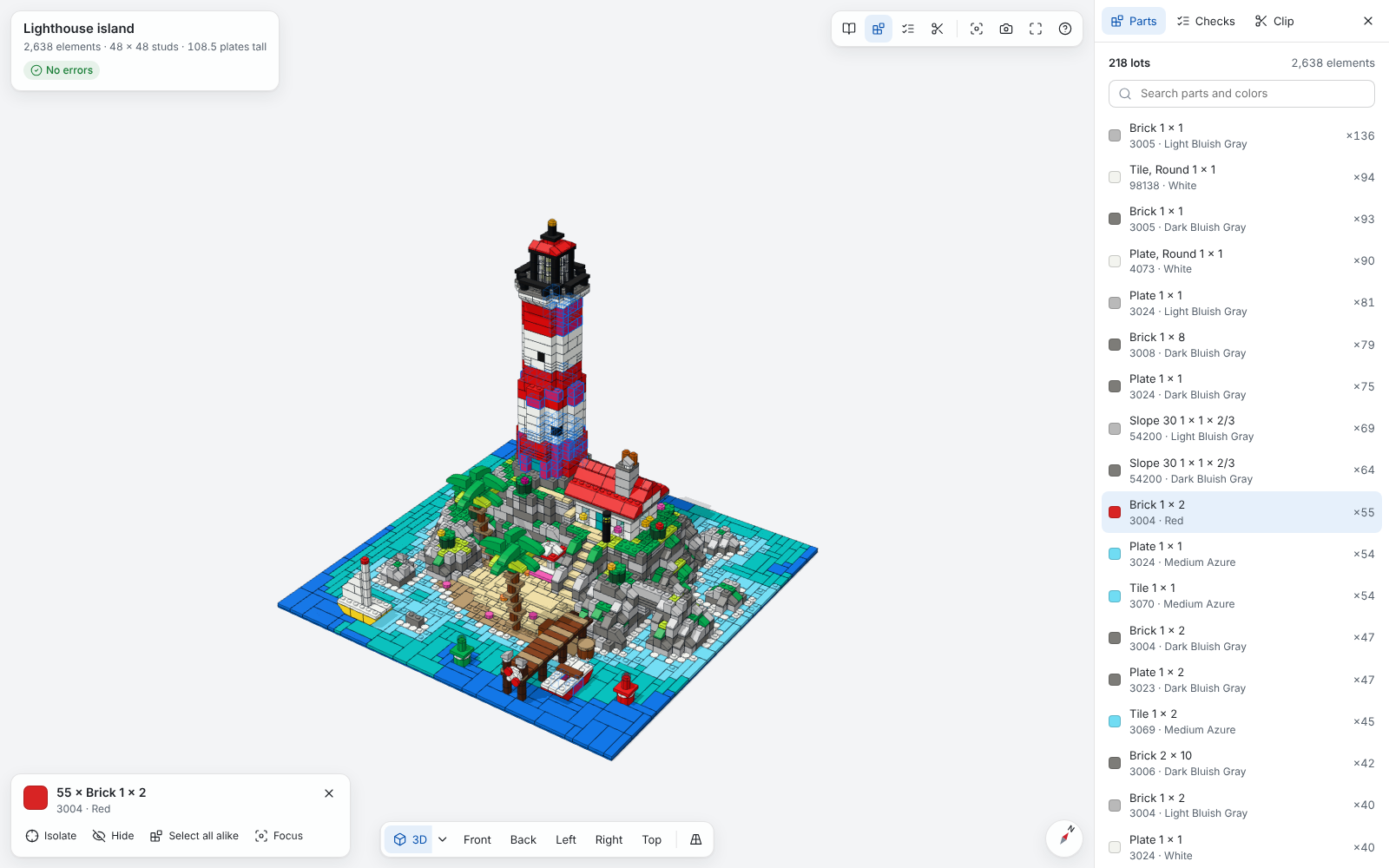
| Control | Does |
|---|---|
| Drag, right-drag, scroll | Orbit, pan, and zoom toward the pointer |
| Click, double-click | Select a part and say what it is and which script line placed it; bring it close |
| View bar | The four 3D corners and the five flat views, in perspective or orthographic |
| Parts panel | Every lot, to select all its elements, and the Wanted List to download |
| Checks panel | Each error and warning, numbered like the pins on the model, to find its elements |
| Clip panel | A range along x, y and z to keep, and a build-up from the bottom, layer by layer |
| Instructions | The building steps, one at a time, with the parts each adds |
| Isolate, hide | Render the rest faintly, or leave the selection out; Escape brings everything back |
The key ? lists every keyboard shortcut.