Voxels
Voxels describe a model on a grid of stud squares one plate tall, so two models, or a model and a plan, compare exactly.
What a voxel is
A voxel is one stud square and one plate tall: the grid that models are compared on.
An element fills a voxel when the voxel's center lies inside the element's body.
Each voxel of a valid model therefore belongs to at most one element, and studs fill none.
The function voxels(model) maps every voxel a model fills to the element and color that fill it.
The keys are (x, y, z), in the units of at:
>>> from bricky import ModelBuilder, voxels
>>> builder = ModelBuilder("wall")
>>> builder.place("3004", at=(0, 0, 0), color="Red")  # Brick 1 x 2
'e1'
>>> filled = voxels(builder.build())
>>> sorted(filled)
[(0, 0, 0), (0, 0, 1), (0, 0, 2), (0, 1, 0), (0, 1, 1), (0, 1, 2)]
>>> filled[0, 0, 0].uid, filled[0, 0, 0].color
('e1', 5)
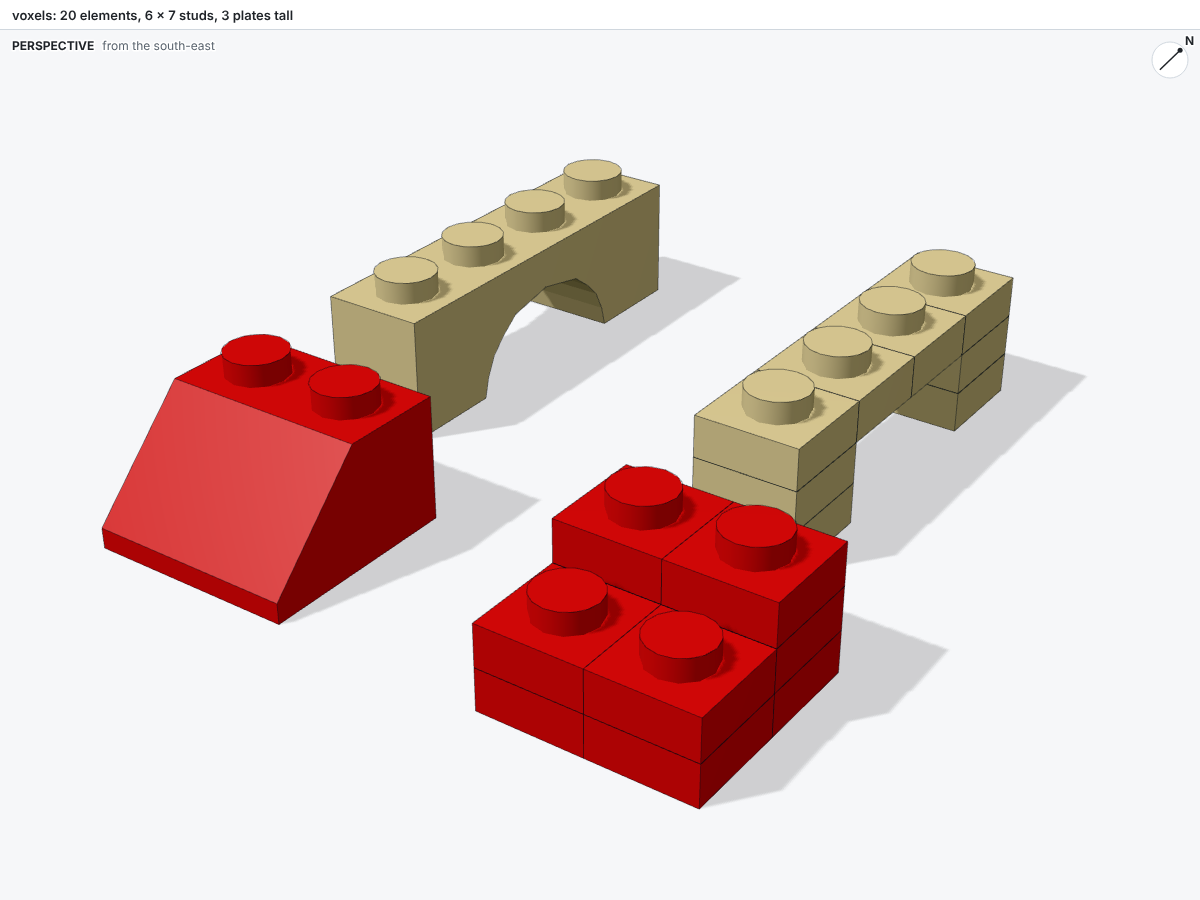
Below, a slope and an arch stand beside their voxels, rebuilt from plates 1 x 1. The slope fills its back row three plates high and its front row two. The arch fills its legs and the span above the opening.
Comparing models
Two sets of voxels compare with set operations, so a script can check its model against a plan in a few lines. The example below compares a model with a plan of a wall 8 studs long and 3 bricks tall:
from bricky import voxels

plan = {(x, 0, z) for x in range(8) for z in range(9)}
filled = set(voxels(builder.build()))
missing, extra = plan - filled, filled - plan
The set missing holds the voxels the plan fills and the model does not, and extra holds the reverse.
The benchmark scores models the same way, over every rotation about the vertical axis and the best shift.
Each build also counts the voxels filled, emptied and recolored since the last build (see Checks).