Build scripts
A build script describes a model as ordinary Python, so loops, functions and data can generate it.
The script
A build script is a Python file that defines build() and returns a ModelBuilder.
Python supplies what a model needs to repeat itself: loops for courses, functions for features that recur, and data for anything measured.
The build runs the script in its own process, which captures what it prints and stops it after a time limit.
A script that hangs or crashes therefore never stops bricky, and anything it prints appears in the report.
A build script still runs as ordinary Python with your permissions, so run only scripts you trust.
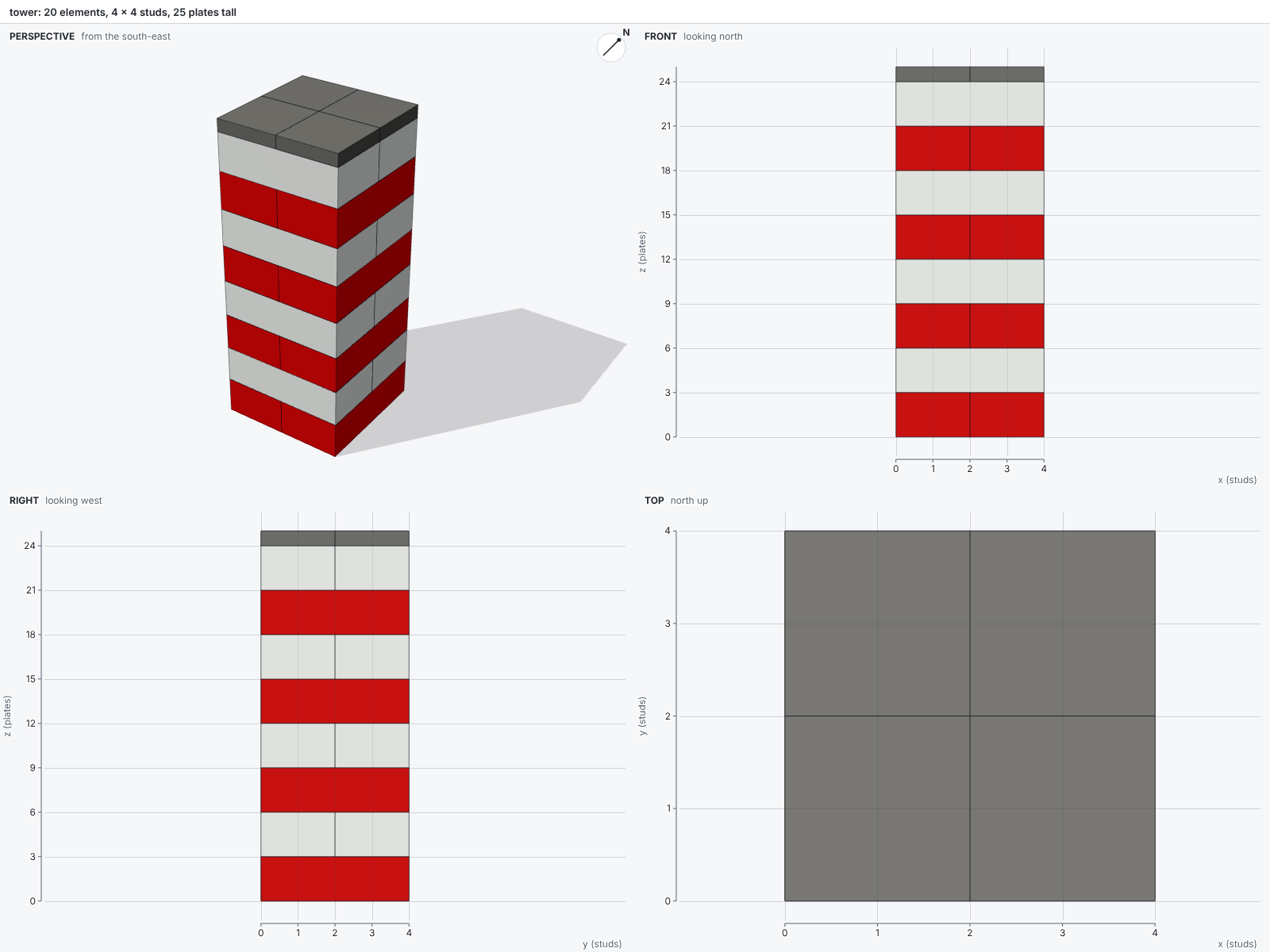
The example examples/tower.py crosses its courses and caps them with tiles:
# Copyright 2026 Maxence Faldor
"""A 4 x 4 tower of interlocking 2 x 4 bricks, capped with tiles.

Each level rotates its bricks by 90 degrees, so every brick bridges the two below it.

Run: ``uv run bricky build examples/tower.py``
"""

from __future__ import annotations

from bricky import ModelBuilder

LEVELS = 8


def build() -> ModelBuilder:
    """Stack crossed pairs of 2 x 4 bricks, then tile the top."""
    builder = ModelBuilder("tower")
    for level in range(LEVELS):
        z = 3 * level  # a brick is three plates tall
        if level % 2 == 0:
            builder.place("3001", at=(0, 0, z), color="Red")
            builder.place("3001", at=(2, 0, z), color="Red")
        else:
            builder.place("3001", at=(0, 0, z), rotation="R90", color="White")
            builder.place("3001", at=(0, 2, z), rotation="R90", color="White")
    for x in (0, 2):
        for y in (0, 2):
            builder.place("3068", at=(x, y, 3 * LEVELS), color="Dark Bluish Gray")
    return builder
Placing parts
A call to builder.place(part, at=(x, y, z), color=..., rotation="R0", id=None) places one part and returns its id:
| Argument | Meaning |
|---|---|
part |
A BrickLink part id, such as "3001", or any other number of the same part |
at |
The minimum corner of the rotated part, in studs and plates (see Coordinates) |
color |
A color name or id |
rotation |
R0, R90, R180, R270, or any of the 24 grid rotations |
id |
The element's name; an unnamed element gets e and its position among everything placed in its model or component, such as e2 |
Elements that matter deserve an id: the report and the images label elements by id, and --highlight selects them by id.
Components and instances
A component stores a group of elements once, and each instance places a copy of it. One definition keeps every copy identical: a change to the component changes every instance.
column = builder.component("column")
for course in range(5):
    column.place("3003", at=(0, 0, 3 * course), color="Tan")

for index in range(4):
    builder.instance("column", at=(index * 4, 0, 0))
The at of an instance is the minimum corner of the rotated component, exactly as for a part.
Components may hold instances of other components.
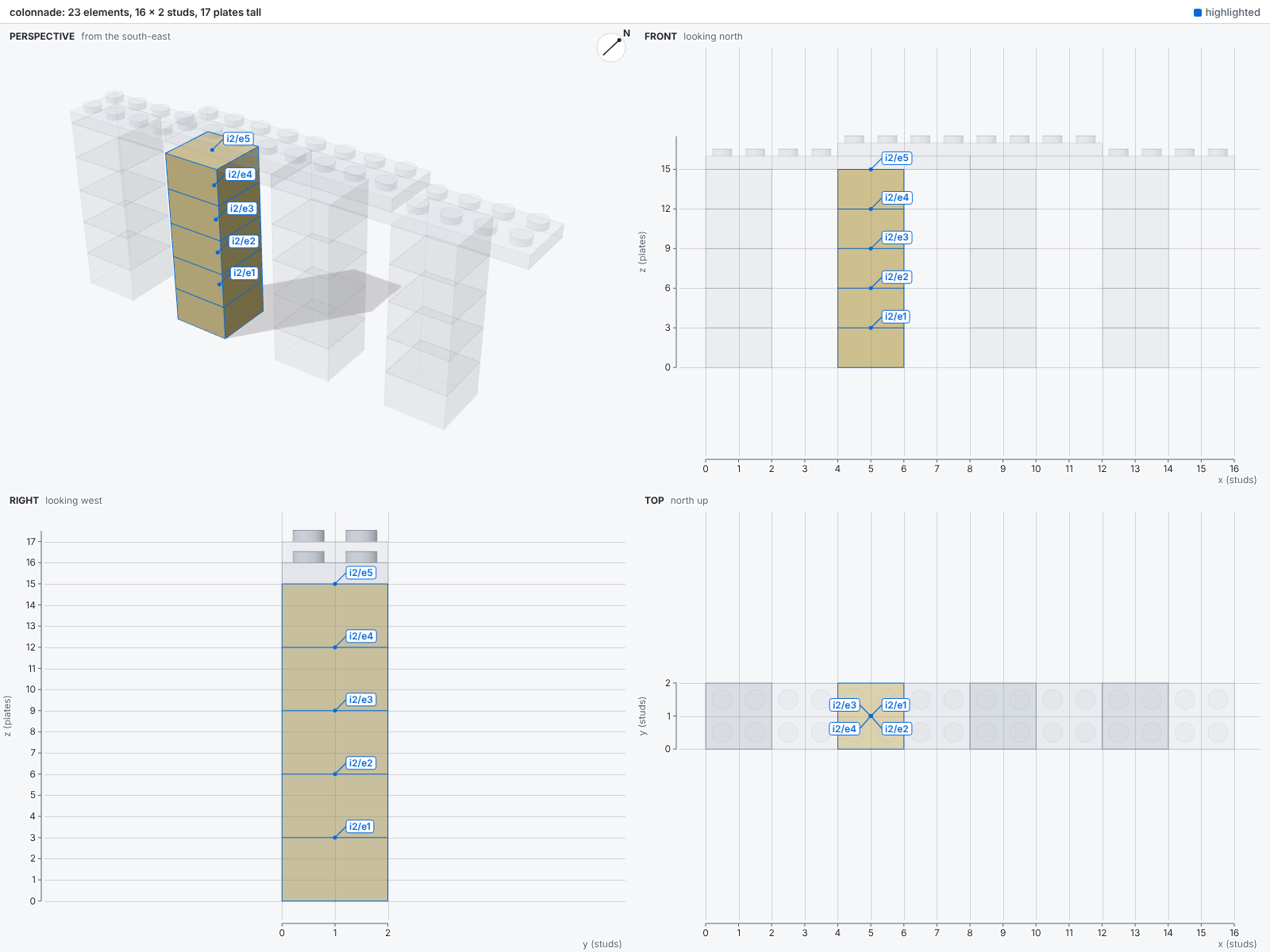
An element inside an instance has a uid that joins the ids of the instances that hold it.
The uid i2/e3 names the element e3 inside the instance i2.
The colonnade below highlights i2/*, its second column:
Filling voxels
Curves, domes and anything copied from a plan are easiest to describe as voxels: the color that fills each stud square, one plate tall.
A call to builder.fill(voxels) covers such a plan with bricks and plates, each part as large as fits.
Bricks go where the three layers of a course share a color, and plates go everywhere else.
Courses alternate direction so that joints stagger, and every part rests on the layer below.
Overhangs take plates that reach back to the parts that hold them, so floors span between walls and cornices stand out from them.
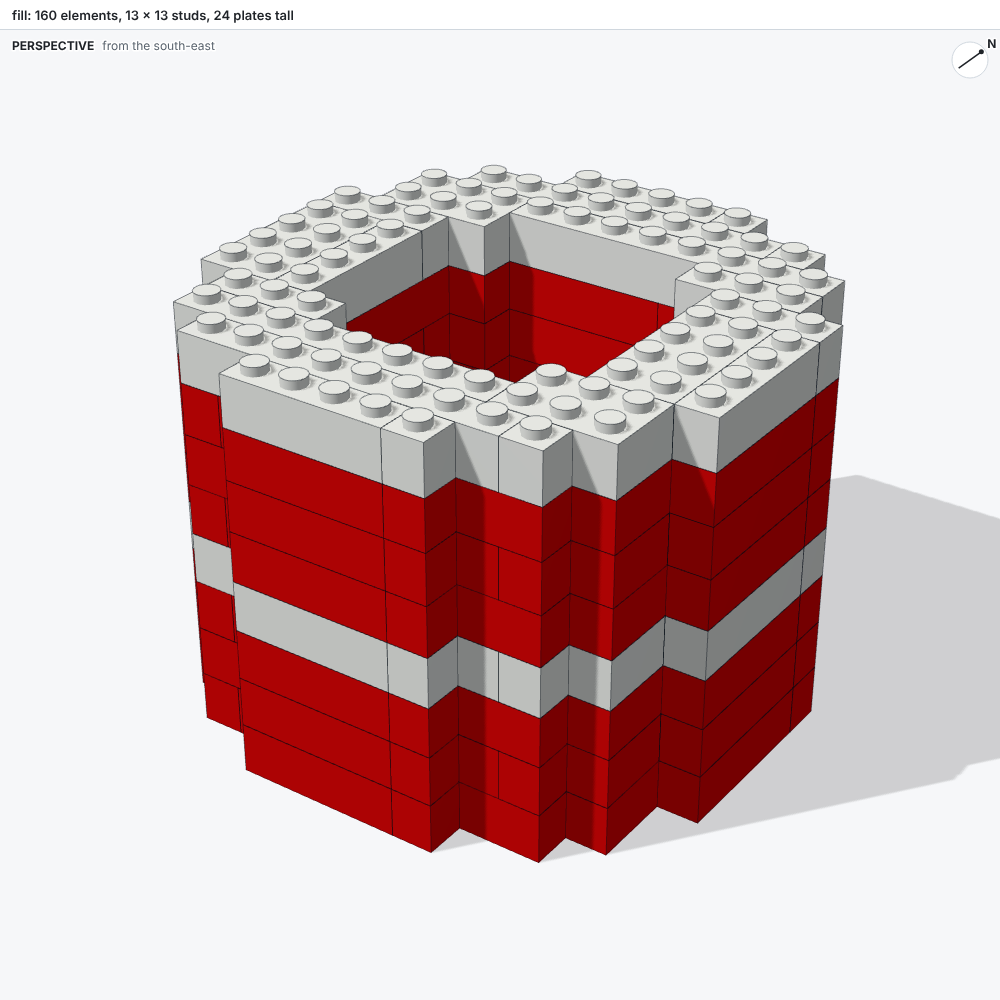
from math import hypot

INNER, OUTER = 4, 6.5  # the wall's radii, in studs
STRIPE = 3  # the fourth of every four courses is white

tower = {
    (x, y, z): "White" if z // 3 % 4 == STRIPE else "Red"
    for x in range(-6, 7)
    for y in range(-6, 7)
    for z in range(24)
    if INNER <= hypot(x, y) < OUTER
}
builder.fill(tower, id="tower")  # ids such as tower.4.-2.9: the prefix, then the corner
The function plan_fill in bricky.fill returns the same parts as data, to inspect or adjust before placing them.
The Colosseum fills 273,616 voxels this way.
Building sideways
Bricks with studs on their sides hold parts rotated to face them.
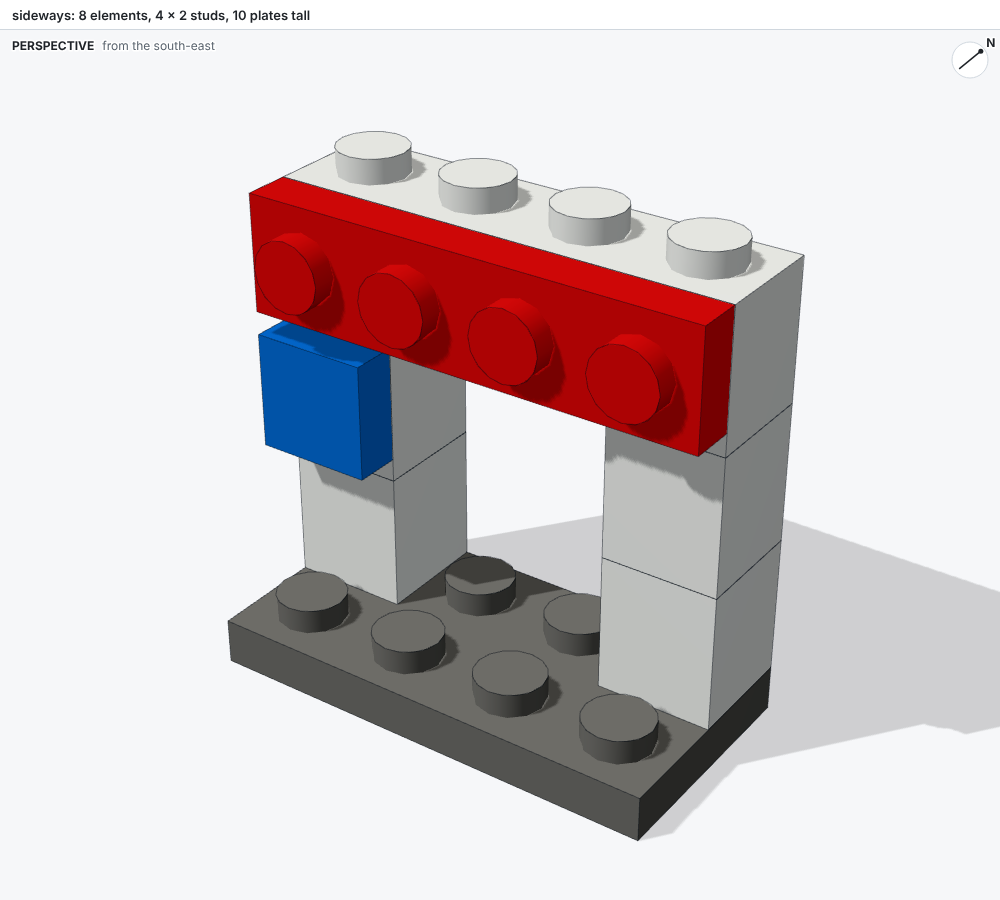
A tile or plate rotated +x+z faces -y, so its underside grips a side stud that faces -y:
builder.place("87087", at=(0, 1, 4), color="White")  # Brick 1 x 1, stud on its side
builder.place("3070", at=(0, 0.6, 4.5), rotation="+x+z", color="Blue")  # Tile 1 x 1
The upright tile is 0.4 studs deep, a plate's height, and one stud tall, 2.5 plates. Its minimum corner therefore sits 0.4 studs in front of the brick and half a plate above its base. The tile then ends flush with the top of the brick.
What a build writes
A build of models/name.py writes three files beside the script:
| File | Holds |
|---|---|
name.bricky.json |
The model: part ids, colors and poses, nothing else |
name.bricky.map.json |
The source map: the script lines that placed each element |
name.png |
The sheet: four views with rulers |
The source map records the SHA-256 hash of its model file, so bricky ignores a map left over from an older model.
The commands bricky check and bricky render read both files.